Find any file in a few milliseconds
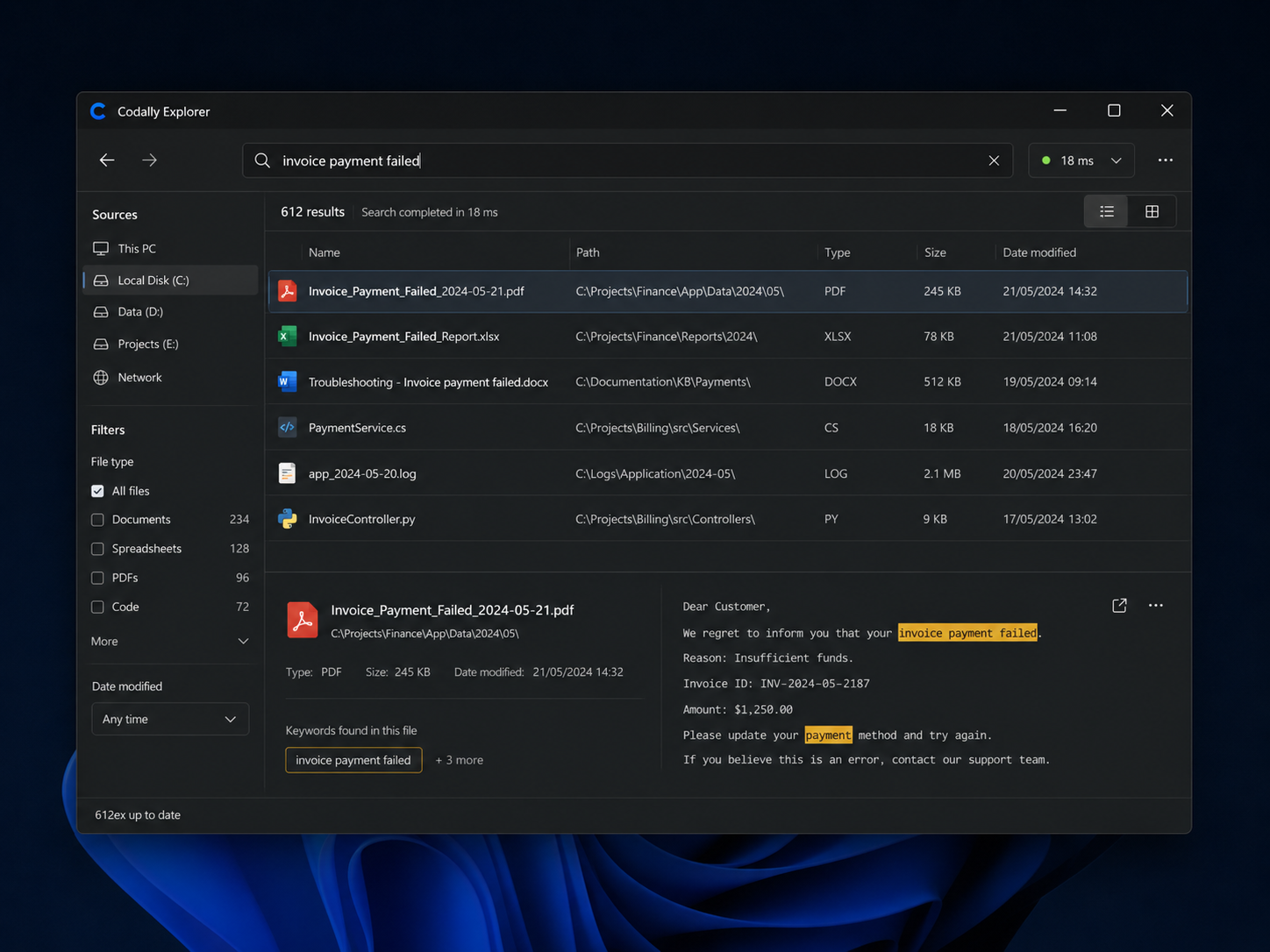
Windows’ file explorer quickly becomes unusable when you search across large volumes: you type a name and you wait. We built our own explorer for our internal needs, then for those of several partners. It indexes the disk once, then finds files instantly, by name as well as by content.
- Project
- Codally internal tool
- Nature
- Windows desktop application
- Origin
- Internal need, extended to our partners
- Core
- Disk indexing + search engine
- Search
- By file name and by content
- Stack
- C++ (engine) · Python · Windows
Finding a file shouldn’t take a minute
On a large tree, Windows’ native search walks the folders on every query. The result: several seconds, sometimes more, for a simple file name — and no realistic way to search inside the content of documents.
For our projects as well as our partners’, we handle thousands of files: code, drawings, documents, exports. We needed a tool that answers at the speed of typing, not the speed of the disk.
- A native search that scans the disk on every query.
- Several seconds of waiting on large directories.
- No realistic search inside file content.
- An experience that breaks focus every day.
The difference is measured in milliseconds
At equal volume, on the same machine, search goes from a noticeable wait to an immediate result. The values below are orders of magnitude observed on large directories.
Index once, answer instantly
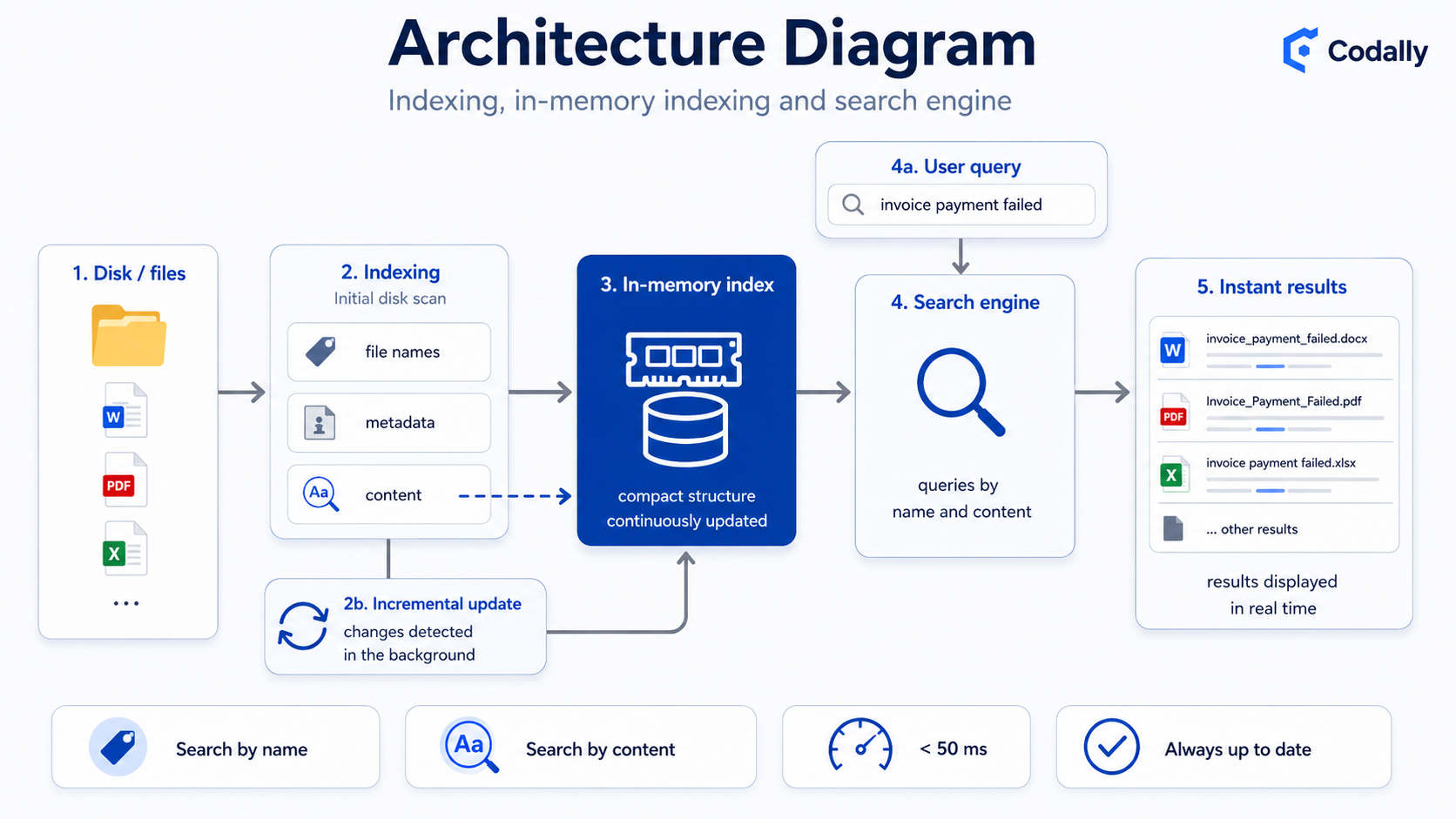
The speed doesn’t come from a trick but from an architecture designed for search: we build an index once, keep it up to date in the background, and every query hits memory rather than the disk.
The engine reads the system’s file table and builds a compact in-memory index, instead of walking folders on every search.
Name queries are resolved against the in-memory index, making results near-instant even across millions of files.
Beyond the name, the tool opens and analyses file content to find text inside documents.
The index follows disk changes in the background: created, modified or deleted files stay current without a full re-index.
What the tool can do
- Instant search by name
Results appear as you type, with no waiting time.
- Content search
Find a file from a word or phrase it contains.
- Advanced filters
Filter by type, size, date or location to target the right file.
- Large volumes
Millions of files indexed without degrading responsiveness.
- Always-current index
Disk changes are reflected continuously, in the background.
- Lightweight and native
A fast Windows desktop app with a C++ core.
A tool born internally, useful far beyond
Designed first for our own projects, the explorer proved useful everywhere people handle a lot of files.
Find a code file, an asset or an export among thousands of others.
Navigate trees of drawings, contracts and documents without getting lost.
Deployed at several partners whose teams were losing time to search.
Is an internal tool slowing you down?
We build custom tools, engineered for performance where generic solutions stall. Let’s talk about yours.