A full site take-off, calculated in seconds
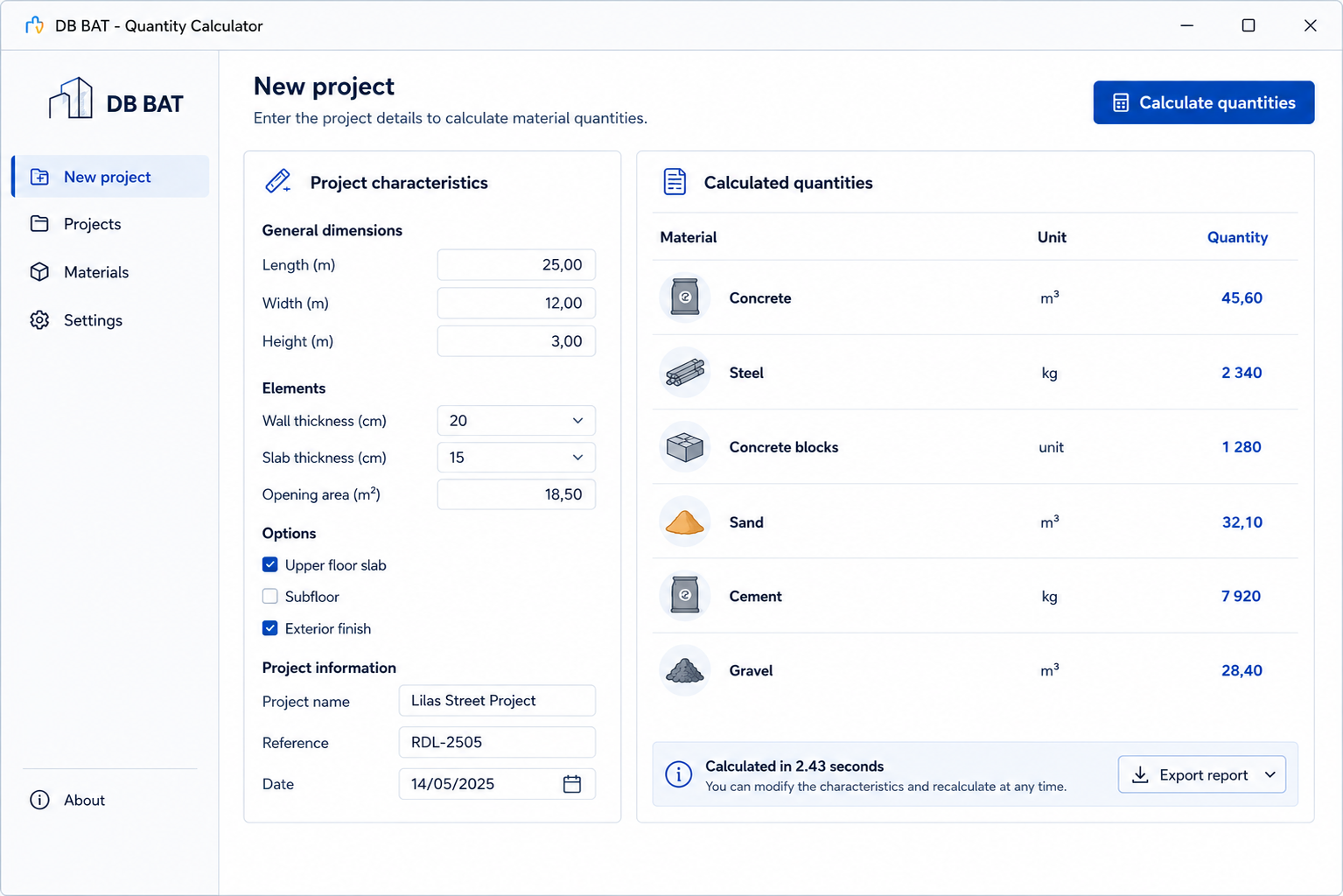
At DB BAT, estimating a site’s material quantities was done by hand: long spreadsheet take-offs, redone for every variant, with a risk of error on every line. We built a custom desktop tool that automatically calculates the required quantities from the site’s characteristics. The result: more accurate orders, less waste and study time cut dramatically.
- Client
- DB BAT
- Sector
- Building & construction
- Region
- Paris, France
- Type
- Custom desktop software
- Stack
- Python · PyQt · Pandas · desktop app
- Use
- Take-offs and material estimation per site
Manual take-offs, slow and risky
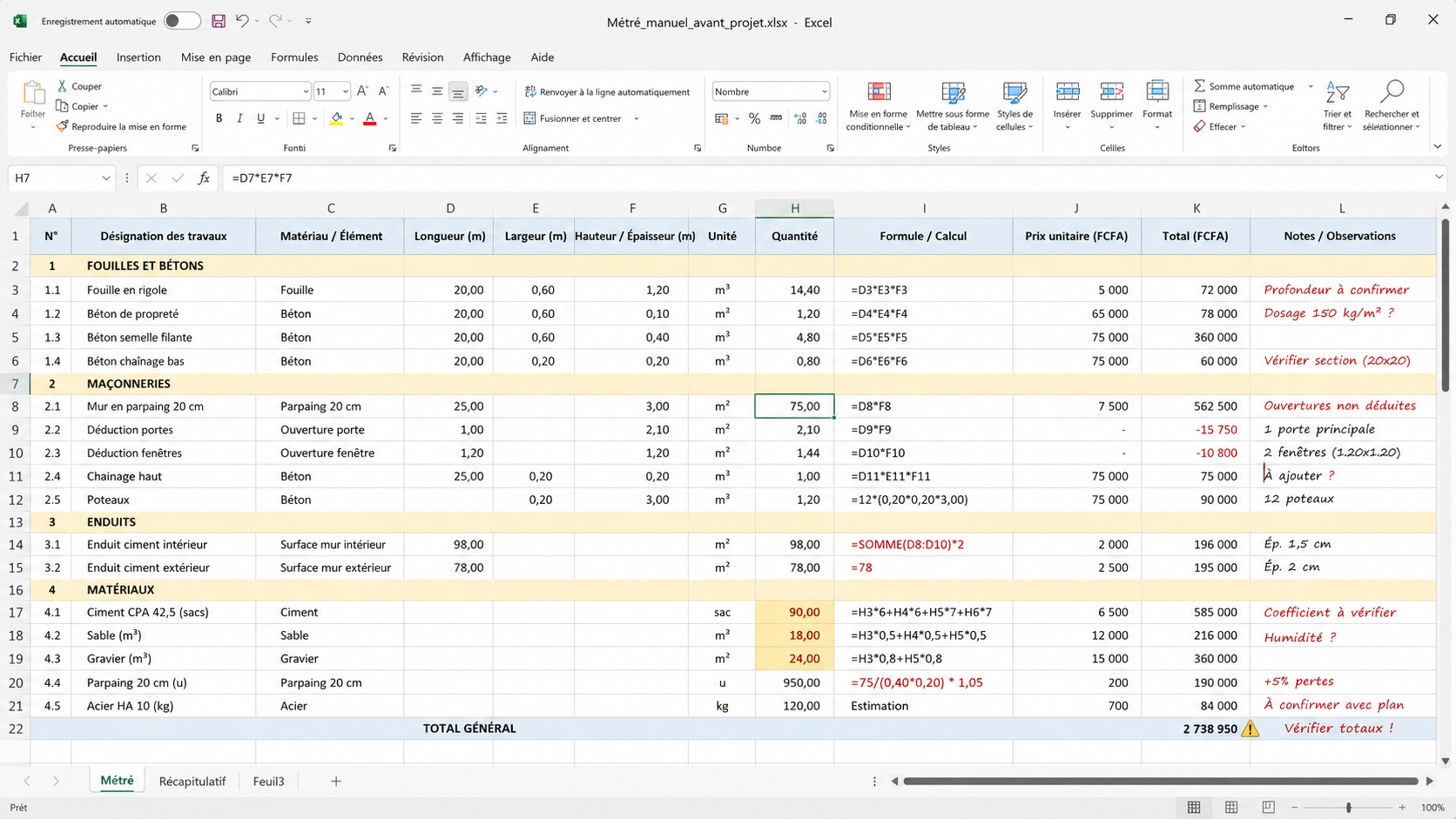
Before each site, the quantity of every material had to be estimated. This was done on a spreadsheet, formula by formula, and had to be redone whenever a parameter changed. Time-consuming and tedious, it mostly left the door open to errors, which were then paid for in over-ordering or shortages mid-site.
- Hours of manual calculation for every site.
- One input error and the order is wrong, too much or too little.
- Everything redone whenever a dimension or variant changes.
- Material waste and poorly controlled procurement costs.
Enter the site, get the quantities
We designed a simple tool, built for the field. The user enters the site’s characteristics, the software applies the business calculation rules and instantly returns the material quantities, ready to order.
- 1Enter the site
The user enters the site’s dimensions and characteristics in a clear interface.
- 2Automatic calculation
The software applies the take-off and dosage rules specific to DB BAT’s materials.
- 3Detailed quantities
The required quantities are shown per material, ready to be ordered.
- 4Variants in one click
A parameter changes? The take-off recalculates instantly, with nothing to redo.
What the software does
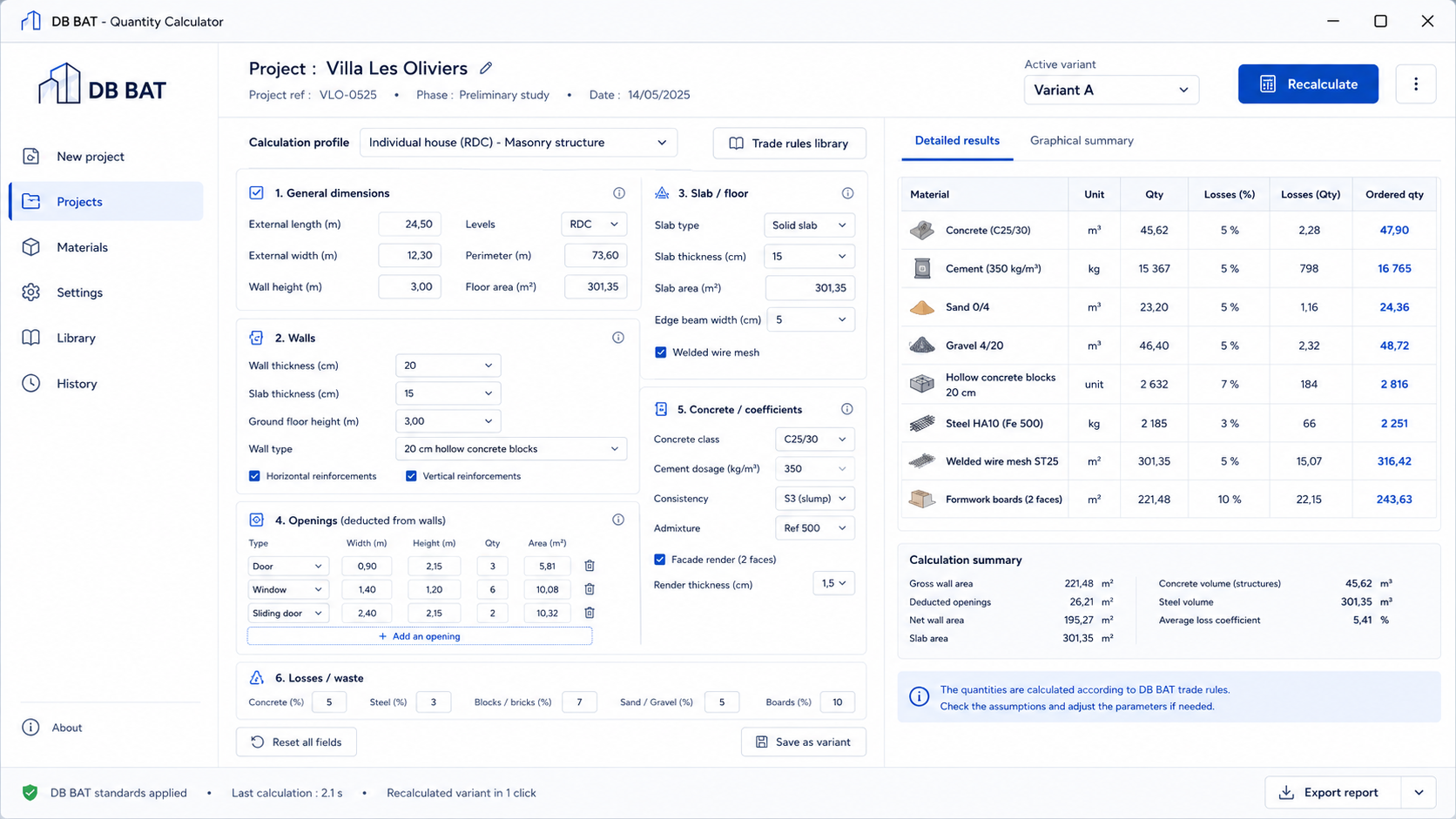
- Automatic quantity calculation
The core of the tool: instant take-offs from the site’s characteristics.
- Custom calculation rules
The formulas and dosages reflect DB BAT’s real practices, not a generic standard.
- Per-material breakdown
Each material appears with its quantity, ready to order without recalculating.
- Instant recalculation
Variants and adjustments recalculate in one click, without starting over.
- Desktop application
Software installed locally, fast and usable even offline.
- Simple interface
Designed to be quick on the field, with no lengthy training.
More accurate orders, less waste
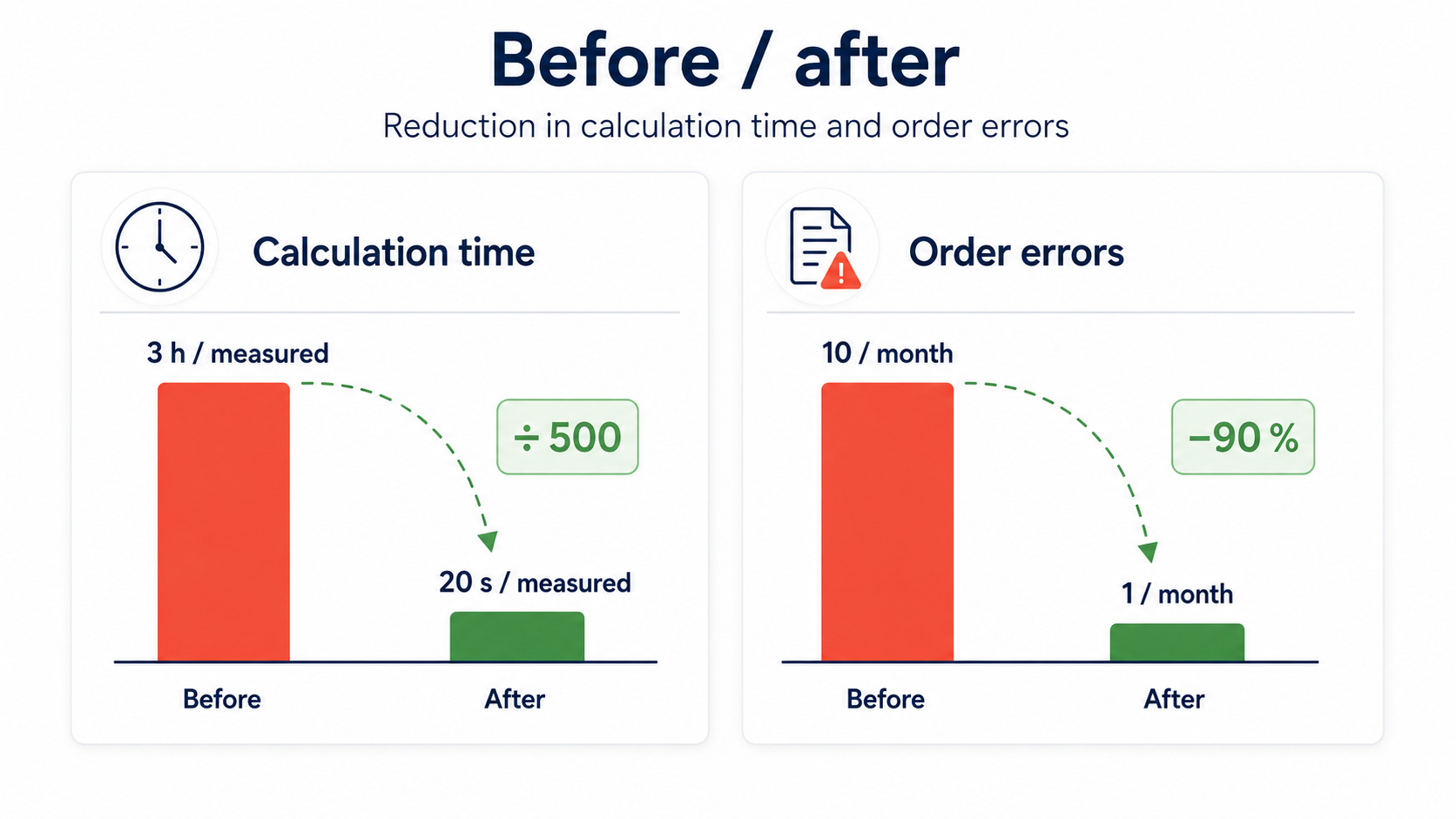
By replacing manual take-offs with a reliable calculation, the software saved considerable time and reduced the ordering errors that weighed on costs.
Before / after
| Indicator | Before | After |
|---|---|---|
| Time for a take-off | Several hours | A few seconds |
| Recalculating a variant | Everything redone | One click |
| Error risk | High | Near zero |
| Over-ordering / shortages | Frequent | Rare |
| Procurement costs | Poorly controlled | Optimized |
Still calculating your quantities by hand?
Let’s talk about the custom tool that could make your take-offs reliable and optimize your orders.